

Comet Browser from Perplexity + Free 1-Year Perplexity Pro Subscription
What is Comet Browser?
The future of web browsing has arrived with Comet Browser from Perplexity. This revolutionary AI-powered browser is transforming how we navigate the internet, offering unprecedented search capabilities, intelligent assistance, and now includes an exclusive opportunity to get a free 1-year Perplexity Pro subscription worth $200.
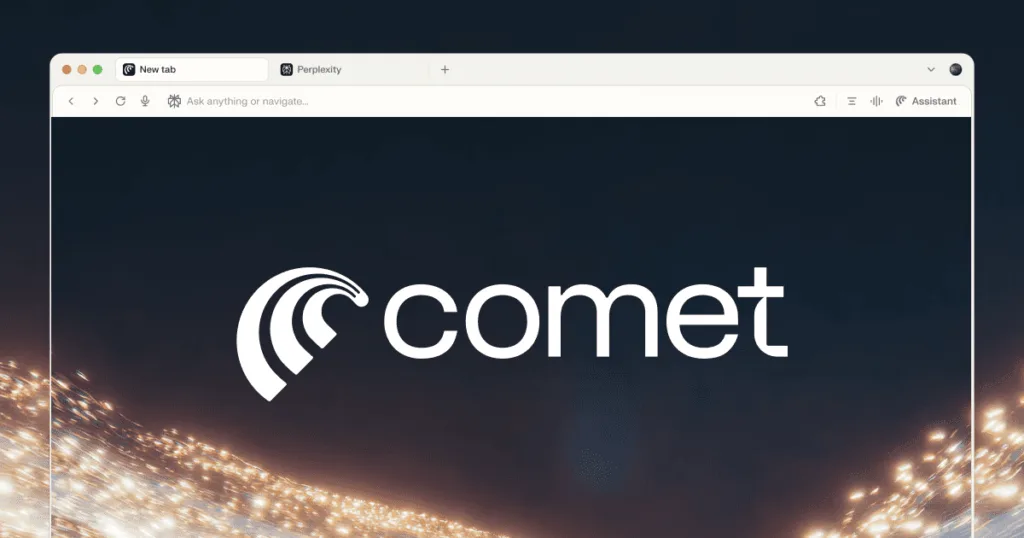
Comet Browser represents the next generation of web browsing technology, developed by Perplexity, the company behind the renowned AI search engine. Unlike traditional browsers that simply display web pages, Comet Browser integrates advanced AI capabilities directly into your browsing experience, making it a true AI-powered companion for all your online activities.
Key Features of Comet Browser
1. AI-Powered Search Integration
Comet Browser seamlessly integrates Perplexity’s AI search technology, allowing you to get instant, accurate answers without leaving your current page. Simply highlight any text or ask questions directly in the browser.
2. Intelligent Content Summarization
Automatically summarizes long articles, research papers, and web content into digestible insights, saving you time and helping you extract key information quickly.
3. Real-time Web Analysis
The browser analyzes web pages in real-time, providing context, fact-checking, and additional relevant information to enhance your understanding.
4. Enhanced Privacy Protection
Built with privacy-first principles, Comet Browser includes advanced tracking protection, secure browsing features, and data encryption.
5. Seamless Multi-device Sync
Sync your browsing data, preferences, and AI interactions across all your devices for a consistent experience.
Uses and Applications
Research and Education
- Academic research with AI-powered source verification
- Quick fact-checking and information validation
- Automated citation generation
- Content summarization for students and professionals
Professional Work
- Market research and competitive analysis
- Content creation and writing assistance
- Data analysis and report generation
- Email and document assistance
Personal Browsing
- Shopping recommendations and price comparisons
- Travel planning with AI suggestions
- News summarization and fact-checking
- Social media content analysis
How to Get Comet Browser Invite
Comet Browser is currently in limited beta, and access is available through an exclusive invite system:
Step 1: Join the Waitlist
- Visit the official Perplexity website
- Navigate to the Comet Browser section
- Enter your email address for the waitlist
- Confirm your subscription
Step 2: Early Access Program
- Follow Perplexity on social media platforms
- Engage with their content to increase priority
- Share feedback on current Perplexity products
- Refer friends to join the waitlist
Step 3: Beta Testing Participation
- Apply for the beta testing program
- Provide detailed information about your use cases
- Demonstrate active engagement with AI tools
- Wait for the official invite email
Free 1-Year Perplexity Pro Subscription Offer
What’s Included in Perplexity Pro?
- Unlimited Pro Searches: No daily limits on advanced AI queries
- Advanced AI Models: Access to GPT-4, Claude, and other premium models
- File Upload Analysis: Upload and analyze PDFs, documents, and images
- API Access: Integrate Perplexity into your own applications
- Priority Support: Faster response times and dedicated assistance
- Early Feature Access: Be the first to try new features and capabilities
How to Claim Your Free Subscription
- Get Comet Browser Access: First, secure your Comet Browser invite
- Complete Setup: Install and set up Comet Browser on your device
- Verify Account: Link your Perplexity account to the browser
- Activation: The Pro subscription will be automatically activated
- Confirmation: Receive confirmation email with subscription details
Terms and Conditions
- Offer valid for new Comet Browser users only
- One subscription per user/household
- Must maintain active Comet Browser usage
- Subscription automatically renews after one year (can be canceled)
- Offer subject to availability and may end without notice
Installation and Setup Guide
System Requirements
- Windows: Windows 10 or later
- macOS: macOS 10.15 or later
- Linux: Ubuntu 18.04+ or equivalent
- RAM: Minimum 4GB, recommended 8GB
- Storage: 2GB free space
- Internet: Stable broadband connection
Installation Steps
- Download: Get the installer from the official invitation email
- Install: Run the installer and follow setup instructions
- Account Setup: Sign in with your Perplexity account
- Preferences: Configure your AI assistance preferences
- Extensions: Install compatible extensions if needed
- Sync: Set up device synchronization
Tips for Maximizing Comet Browser
Best Practices
- Customize AI Settings: Adjust AI responses to match your needs
- Use Keyboard Shortcuts: Learn shortcuts for faster AI interactions
- Organize Workspaces: Create different profiles for work and personal use
- Regular Updates: Keep the browser updated for latest features
- Feedback Participation: Provide feedback to help improve the browser
Advanced Features
- Custom Prompts: Create personalized AI prompts for specific tasks
- API Integration: Connect with other productivity tools
- Collaboration Features: Share insights and analyses with team members
- Data Export: Export your research and findings in various formats
Comparison with Other Browsers
Comet Browser vs. Chrome
- AI Integration: Native AI vs. Extension-based
- Privacy: Enhanced protection vs. Standard tracking
- Performance: Optimized for AI tasks vs. General browsing
- Features: Built-in research tools vs. Third-party add-ons
Comet Browser vs. Edge
- AI Assistant: Perplexity AI vs. Copilot
- Search: AI-powered vs. Traditional search
- Productivity: Research-focused vs. Microsoft ecosystem
- Innovation: Cutting-edge AI vs. Established features
Future Developments
Perplexity has announced several upcoming features for Comet Browser:
- Voice AI Integration: Voice commands and dictation
- Advanced Analytics: Detailed browsing and research insights
- Team Collaboration: Shared workspaces and projects
- Mobile Version: iOS and Android applications
- Enterprise Features: Business-focused tools and security
Conclusion
Comet Browser from Perplexity represents a significant leap forward in web browsing technology. With its AI-powered features, intelligent assistance, and comprehensive research capabilities, it’s poised to become an essential tool for students, professionals, and anyone who values efficient, intelligent web browsing.
The opportunity to get a free 1-year Perplexity Pro subscription worth $200 makes this an exceptional offer for early adopters. By securing your Comet Browser invite now, you’ll not only gain access to revolutionary browsing technology but also unlock the full potential of Perplexity‘s premium AI features.
Don’t miss this limited-time opportunity to experience the future of web browsing. Join the waitlist today and be among the first to harness the power of AI-enhanced internet navigation.
Frequently Asked Questions
Q: Is Comet Browser free to use?
A: Yes, the basic version of Comet Browser is free. The current promotion also includes a free 1-year Perplexity Pro subscription.
Q: How long does it take to receive an invite?
A: Invite processing times vary, but most users receive access within 2-4 weeks of joining the waitlist.
Q: Can I use Comet Browser on multiple devices?
A: Yes, Comet Browser supports multi-device synchronization across Windows, macOS, and Linux.
Q: What happens after the free year of Perplexity Pro ends?
A: You can choose to continue with a paid subscription or revert to the free Perplexity features.
Q: Is my browsing data secure with Comet Browser?
A: Yes, Comet Browser includes advanced privacy protection and encryption features to keep your data secure.




Join the conversation