

PayTM is now offering Visa Debit card for PayTM Payment Bank users. PayTM Payment bank users had Rupay debit card so now they can upgrade to Visa Card without any cost. All You need to do is just click on the upgrade button and your card will be upgraded to a Visa card.
Please Note, Your exciting card will be blocked permanently and you have to use your new card for future transactions. You can also check out paytm first games to get a Free ₹50 Signup Bonus
How To Get PayTM Visa Card
1. First of all Upgrade your PayTM App to the latest version
2. Now visit your PayTM Payment bank section
3. You can see the option to upgrade your PayTM Visa card. 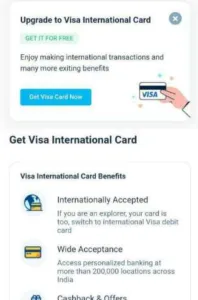
4. Click on that and upgrade your card to a Visa card.
5. Accept terms & Done!!!
——-
Features of Visa Card
- Internationally accepted
- Cashback & Offers
- Contactless payments
Join Our Community Channels
Save Upto Rs.10,000 Per month with exclusive offers and deals. Get instant alerts!