

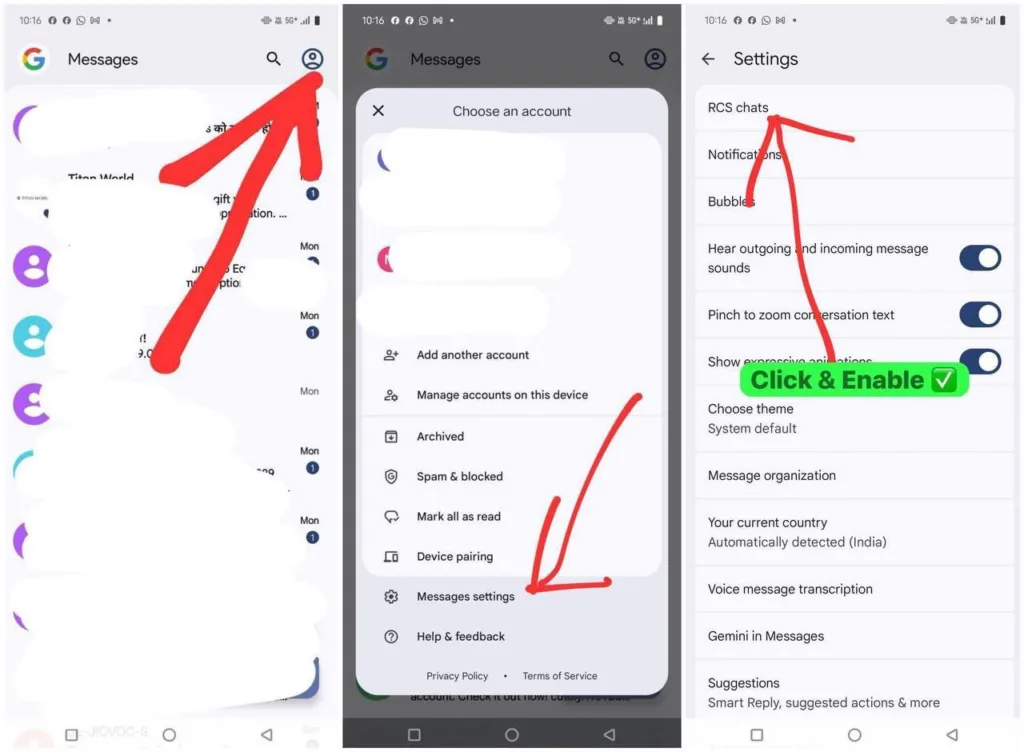
RCS (Rich Communication Services) brings modern features like read receipts, typing indicators, and high-quality photo sharing to your text messages. Here’s how to enable it on Google Messages:
Join our Telegram Channel For Instant Loot Alerts – Join Telegram Channel
If you are here to get Jiomart ₹100 Coupon For Jiomart Loot, then follow below steps to check the RCS chat enable or not.
Quick Setup Steps
1. Open Google Messages on your Android device
2. Tap the three dots in the top-right corner
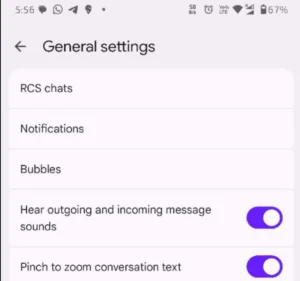
3. Toggle on “Enable RCS features”
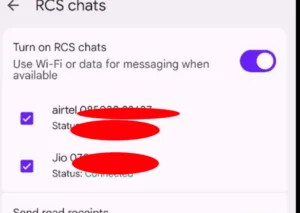
4. Wait for verification (may take a few minutes)
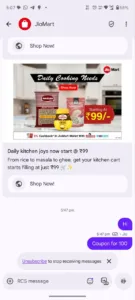
5. Now wait for Jiomart to send you message like

Alternative Method
If you see an RCS prompt banner in Google Messages, simply tap “Turn On” and follow the verification process.
How to Know It’s Working
You’ll see “Chat” instead of “SMS” in your message threads, plus you’ll get typing indicators and read receipts.
Join Our Community Channels
Save Upto Rs.10,000 Per month with exclusive offers and deals. Get instant alerts!
Requirements
- Google Messages app (updated)
- Internet connection (Wi-Fi or mobile data)
- RCS-compatible carrier (most major carriers support it)
That’s it! Your texting experience just got a major upgrade with features that rival popular messaging apps.