

After Free ₹1000 Shopping with SHEIN, they are back with one more. Shein has come up with an exciting ₹500 Free Shopping Offer that is currently working only onAndroid/iphone devices. If you’re a Shein lover, this is your chance to grab your favourite outfits and accessories at zero cost. Follow the steps below carefully to claim your reward. If you don’t know SHEIN is owned by AJIO which already offer ₹100 When you use Ajio Referral Code and Jiomart, which is also part of reliance, offering free ₹100 grocery
You can Earn upto ₹8,000 Vouchers Free
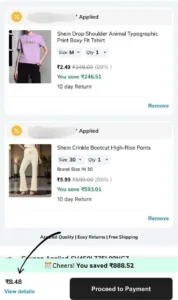
Rewards
- Under 1.9K followers > ₹100 Coupon
- Above 1.9K followers > ₹1200 Coupon
- Above 10K followers > ₹5000 Coupon
How to get free ₹8000 shopping from SHEIN
1. Download the official SHEIN App from the App Store and log in with your account.
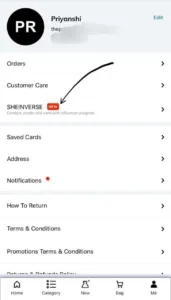
2: Open SHEINVERSE Go to Me → SHEINVERSE (3rd option), If you don’t see the SHEINVERSE tab immediately, don’t worry. It usually appears a few minutes after login.
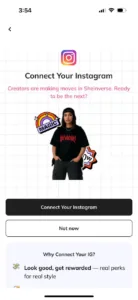
3: Connect your Instagram Public account inside SHEINVERSE. [ Professional Account ]
4. Once linked, Shein will generate your unique reward code.
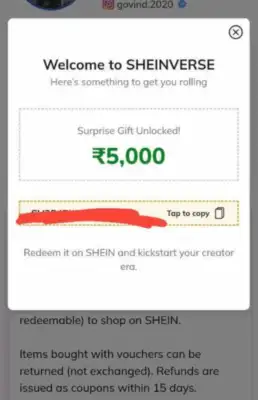
5. Your coupon code will show as: ₹500/2000/5000 off Coupon
6. But here’s the trick: there is actually no minimum order value restriction
Join Our Community Channels
Save Upto Rs.10,000 Per month with exclusive offers and deals. Get instant alerts!
- Add products worth ₹500-5000 to your cart.
- Apply the generated coupon.
- Checkout at ₹0 – completely free! 🎉
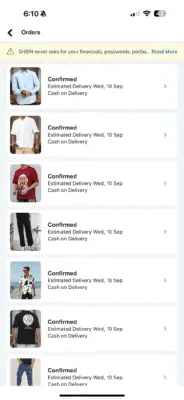
Bonus Tip: Post a Haul Video
To keep enjoying SHEINVERSE rewards, you’ll need to post a Shein Haul video on your connec
ted Instagram account. Make sure your account is public so that Shein can verify your post.
Shein Instagram Issues Solution
1. Instagram Is Opening Home screen, It’s not getting linked in Sheinverse?
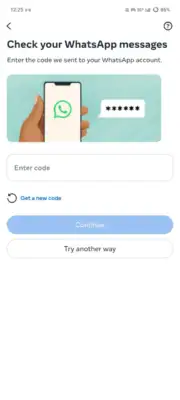
Answer – This happens if Instagram asks for whatsapp OTP. If this is the case. Please Enable 2 fector auth in Instagram using Authenticator app and the use that code while Linking process. ( This is the solution i used)
- Click
More in the bottom left, then click
Settings.
- Click See more in Accounts Center, then click Password and security.
- Click Two-factor authentication, then select an account.
- Choose the Authenticator app
- Next time put the 6 digit otp.
2. No More Instagram Accounts?
Answer – Just click on Add accounts in Instagram app from Your username section on top, there’s an arrow, click on create account and you will not need to verify mobile or email. This way create unlimited accounts
Any other issue or screenshot comment down I will Help.l you out
Final Thoughts
This is a limited-time iPhone-only hack, so don’t miss your chance. If you already use Shein, this is an easy way to get free shopping worth ₹500. Grab your favourites now before the loophole is fixed!