

Close PhonePe Wallet to Avoid ₹100 Inactivity Fee
How to Close PhonePe Wallet to avoid the newly announced ₹100 inactivity fee if you haven’t used your wallet in a year. Hello friends, we are back with another important update to help you save your hard-earned money from unnecessary charges. We have another PhonePe cashback offer post, but today’s guide is about protecting your balance. If you love saving, don’t forget to check our Pharmeasy medicine offers or grab 6 months of Amazon Prime Music for free.
Why You Should Close PhonePe Wallet
PhonePe recently sent a communication to its users. They will now charge a ₹100 fee if a user does not use their PhonePe Wallet for 365 consecutive days (1 full year). If you have an empty wallet or don’t use it often, it is better to deactivate it now. You can also look at the Dhani Freedom Card for other credit options.
Steps to Close PhonePe Wallet
1. Open the PhonePe App on your phone.
2. Click on the Wallet icon from the home screen.
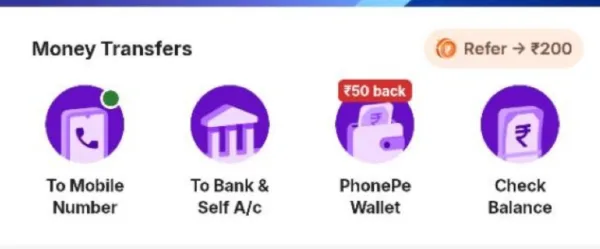
3. Look for the Question Mark (?) icon at the top right corner and click it.
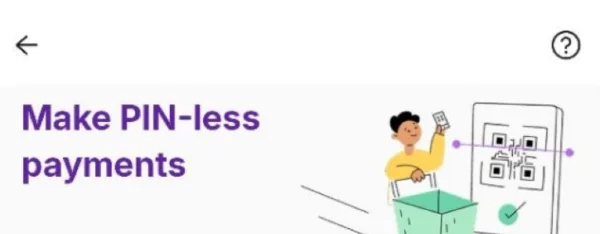
4. Select the option “How to Close PhonePe Wallet” or “Closing PhonePe Wallet”.
5. Click on the Close Wallet button at the bottom.
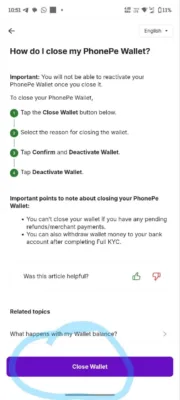
6. Select any reason for closing (e.g., “Other”).
7. Confirm by clicking on Deactivate PhonePe Wallet.
8. Your wallet is now successfully deactivated.
Watch the video tutorial
Useful Details About PhonePe Inactivity Fee
| Feature | Details |
|---|---|
| Inactivity Period | 365 Days (1 Year) |
| Penalty Charge | ₹100 |
| All PhonePe Wallet Users | |
| Action Required | Use wallet once a year OR Close it |
Who should close the wallet?
- Users who prefer using UPI directly and never use the wallet.
- Users who have zero balance in their PhonePe wallet.
- Users who might forget to do a transaction for a long time.
FAQs
Will closing the wallet delete my PhonePe account?
No, only your wallet will be deactivated. You can still use UPI, Pay Bills, and Recharge normally.
Can I reactivate the wallet later?
Usually, wallet closure is permanent. You should check with PhonePe support if you wish to restart it later.
Stay alert and keep your money safe from these hidden charges. For more loot deals and updates, stay tuned!
Join Our Telegram Channel · Join WhatsApp Channel · Download Bigtricks App



Join the conversation